
Introduction
Email remains one of the most widely used communication tools in professional and personal contexts. Over time, inboxes often become crowded with newsletters, automated notifications, mailing lists, and low-priority messages. This accumulation can make it difficult to identify messages that require timely attention. As a result, a category of tools has emerged to help users manage email volume by sorting, prioritizing, or deferring messages.
Email management tools focus on reducing cognitive load rather than replacing email itself. They attempt to reorganize incoming messages so users can focus on what matters most at a given moment. SaneBox is one example of this category. Instead of functioning as a full email client, it integrates with existing email accounts and applies automated filtering logic to incoming messages.
This article provides an educational, non-promotional overview of SaneBox. It explains how the tool works, what features it offers, typical use cases, potential advantages, and notable limitations. Readers are encouraged to evaluate such tools based on their own communication habits and technical requirements.
What Is SaneBox?
SaneBox is an email management service designed to work alongside existing email providers rather than replacing them. It connects to an email account and analyzes user behavior—such as which emails are opened, replied to, or ignored—to determine message priority.
The tool belongs to the broader category of productivity and inbox organization software. Users typically include professionals dealing with high email volume, remote workers, small business owners, and individuals who rely heavily on email for daily communication. Unlike manual rule-based filtering, SaneBox focuses on behavioral signals rather than predefined keywords or sender lists.
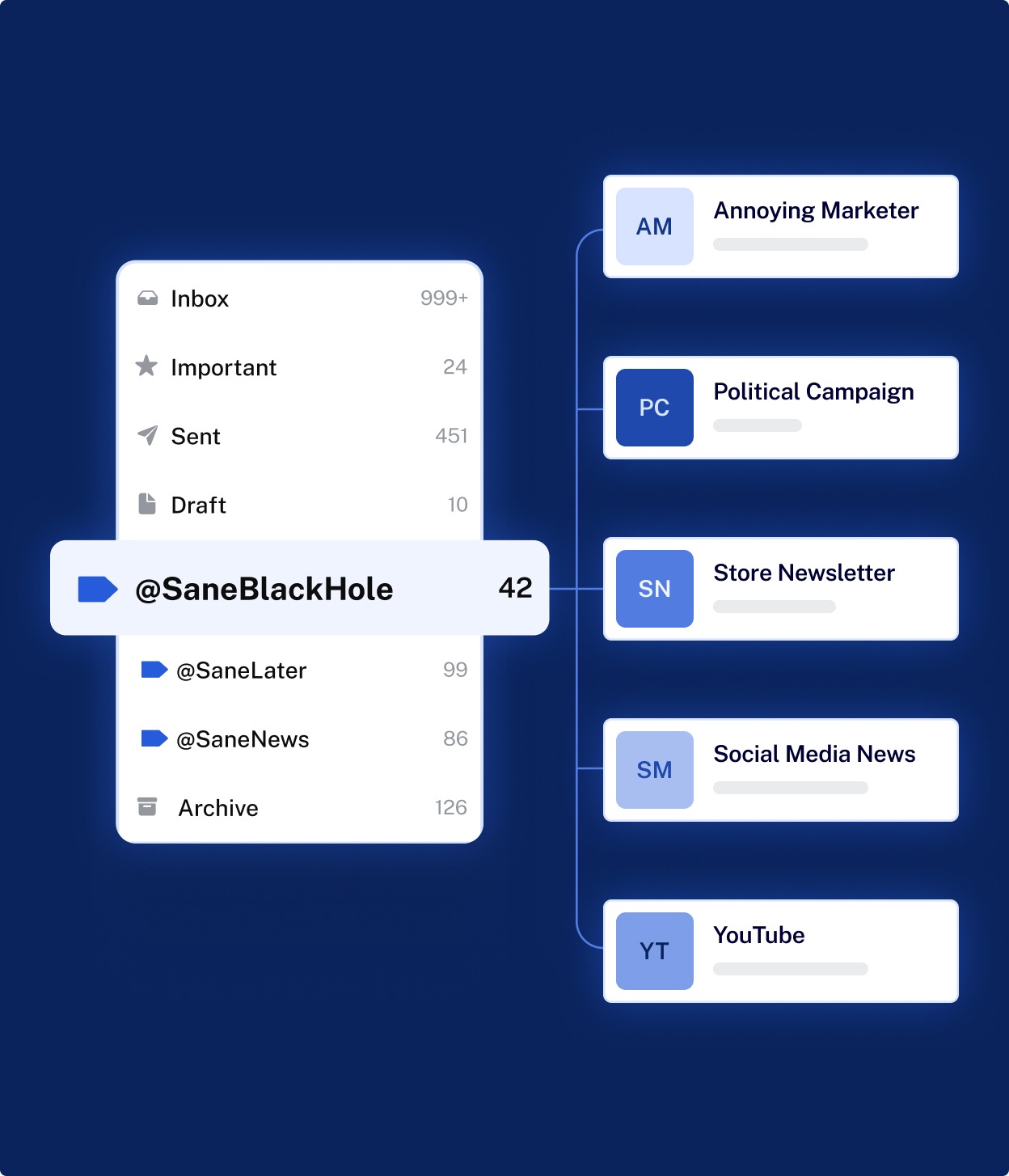
SaneBox operates primarily in the background. Once connected, it automatically creates folders within the user’s existing email system and routes messages based on inferred importance.
Key Features Explained
Intelligent Email Sorting
SaneBox evaluates email metadata and user interaction patterns to determine which messages are likely to be important. Emails considered lower priority are moved out of the main inbox into separate folders. This sorting process updates over time as user behavior changes.
Custom Folders
The service creates folders such as deferred or low-priority categories. These folders are visible within the user’s email client, allowing manual review when convenient. Users can also train the system by moving messages between folders.
Snoozing Messages
Some messages may not require immediate action but should not be forgotten. SaneBox allows emails to be temporarily removed from the inbox and returned at a scheduled time. This feature functions as a reminder system within the inbox environment.
Attachment Management
The tool can identify large attachments and move them to a dedicated folder or cloud storage location, depending on configuration. This can help reduce mailbox storage usage and make attachments easier to locate later.
Email Summaries
Instead of reviewing low-priority folders individually, users can receive periodic summaries that list messages grouped by category. This allows for batch review without constant interruptions.
Cross-Platform Compatibility
SaneBox works with many common email providers and clients. Because it operates through server-side integration, it does not require installing a new email application.
Common Use Cases
High-Volume Professional Email
Professionals who receive dozens or hundreds of emails per day may use tools like SaneBox to separate urgent communication from automated or informational messages.
Remote and Distributed Work
Remote teams often rely heavily on email for coordination. Inbox filtering can help ensure that time-sensitive messages are not buried under less relevant updates.
Entrepreneurs and Small Businesses
Individuals managing multiple roles may lack time to manually organize inboxes. Automated sorting can reduce time spent on email review.
Academic and Research Contexts
Researchers and educators who subscribe to mailing lists, journals, and institutional notifications may use inbox management tools to prevent informational overload.
Potential Advantages
Reduced Inbox Clutter
By routing lower-priority emails away from the main inbox, users may experience a more focused email environment.
Behavior-Based Filtering
The system adapts based on actual user behavior rather than static rules, which can reduce the need for manual setup.
Minimal Workflow Disruption
Because the tool integrates with existing email clients, users do not need to learn an entirely new interface.
Flexible Review Options
Deferred messages and summaries allow users to review non-urgent communication at chosen times rather than continuously.
Limitations & Considerations
Learning Period Required
Behavior-based systems require time to adapt. Initial sorting may not fully reflect user preferences until sufficient interaction data is collected.
Limited Transparency
Some users may find it difficult to understand why certain emails are categorized as low or high priority, as the filtering logic is largely automated.
Dependence on Email Provider Access
The service requires access to the user’s email account. Organizations with strict data governance policies may need to evaluate compliance considerations.
Subscription Model
While pricing details vary, the tool typically operates on a subscription basis. Users should consider long-term cost relative to perceived value.
Not a Replacement for Email Discipline
Inbox management tools do not eliminate the need for thoughtful email practices, such as unsubscribing from unnecessary lists or setting clear communication expectations.
Who Should Consider Sanebox
-
Professionals managing consistently high email volume
-
Users who prefer automated organization over manual rules
-
Individuals comfortable with third-party email integrations
-
Those seeking inbox prioritization without changing email clients
Who May Want to Avoid It
-
Users with low or already manageable email volume
-
Individuals who prefer complete manual control over email sorting
-
Organizations with strict restrictions on third-party email access
-
Users expecting immediate, perfect categorization without adjustment time
Comparison With Similar SaneBox
SaneBox is often compared with other inbox organization solutions such as built-in email client filters or alternative third-party services. Native email filters typically rely on static rules defined by the user, while behavior-based tools aim to reduce manual setup. Some alternatives focus more on team collaboration features or analytics, whereas SaneBox centers primarily on individual inbox prioritization. No single approach is universally suitable; effectiveness depends on user preferences and workflow requirements.
Final Educational Summary
SaneBox represents a category of email management tools designed to reduce inbox overload through automated prioritization. By integrating with existing email providers and adapting to user behavior, it attempts to streamline daily email review. While it offers features such as intelligent sorting, snoozing, and summaries, it also introduces considerations related to transparency, learning time, and subscription commitment.
Readers should evaluate email management tools based on their own communication volume, privacy requirements, and tolerance for automation. Independent research and hands-on evaluation are recommended before adopting any productivity software.
Disclosure:
This article is provided strictly for educational and informational purposes only. It does not constitute professional, legal, or technical advice. Any references to tools or services are based on publicly available information and independent analysis. Some links on this website may be affiliate links; however, this does not influence our editorial standards, content accuracy, or evaluations. Readers should independently assess and verify any tool based on their own requirements and circumstances.
