
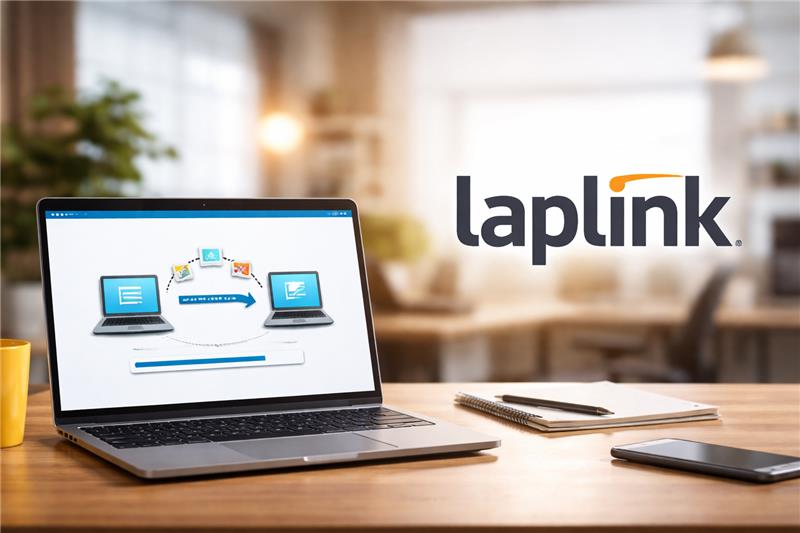
In contemporary computing environments, the migration of data, applications, and user settings from one device to another is a recurring challenge. Organizations and individuals alike face operational inefficiencies when transitioning between computers, particularly during hardware upgrades or operating system updates. The complexity of preserving software configurations, user profiles, and critical files has prompted the Laplink development of specialized tools in the endpoint migration sector. These tools aim to streamline the transfer process, minimize downtime, and maintain consistency across systems. One such tool that has gained recognition over the past decades is PCmover, developed by Laplink Software, Inc.
What Is PCmover?
PCmover is a software application designed to facilitate the migration of files, applications, and user profiles between Windows computers. Classified as an endpoint migration tool, PCmover supports scenarios ranging from personal PC upgrades to enterprise-scale hardware refreshes. The software functions across multiple Windows versions and offers different editions tailored to specific environments, including home, business, and enterprise settings. PCmover has been positioned as a solution to the logistical challenges posed by manual data transfer or complex IT-led migration projects.
Key Features Explained
PCmover provides a set of functionalities that address the core components of computer migration:
- Automated Data Transfer: The software automates the relocation of files and folders, reducing the likelihood of human error. It can transfer user data from an old PC to a new one while preserving the original folder structure.
- Application Migration: PCmover is capable of moving installed applications along with their associated settings. This feature mitigates the need for manual reinstallation, which can be time-consuming and prone to compatibility issues.
- User Profile Preservation: Maintaining user profiles, including desktop configurations, preferences, and account settings, is a central feature. This ensures continuity in user experience after migration.
- Cross-Edition Functionality: Different editions, such as Professional, Ultimate, Home, and Business, cater to various migration needs. Each edition offers a slightly different feature set, reflecting the scale and complexity of the migration scenario.
- Remote and Network Transfers: PCmover can utilize direct network connections, USB drives, or specialized transfer cables to execute migrations, providing flexibility in diverse technical environments.
- Selective Migration Options: Users can choose specific files, applications, or settings to migrate, allowing for partial transfers when a full migration is unnecessary.
Common Use Cases
The use cases for PCmover span multiple contexts:
- Individual PC Upgrades: Home users replacing an old computer with a new one benefit from the automated transfer of personal files and applications.
- Operating System Refreshes: Organizations upgrading from legacy Windows versions can utilize PCmover to transition user environments to newer operating systems without losing application configurations.
- Enterprise Hardware Refresh: Large organizations conducting bulk PC replacements or workstation upgrades can leverage PCmover Enterprise for simultaneous multi-device migrations.
- Remote Workforce Support: IT teams managing geographically distributed endpoints can implement PCmover’s remote transfer capabilities to support off-site personnel.
- Profile Consolidation: In cases where multiple user accounts or profiles need to be merged or reorganized, PCmover provides controlled migration pathways.
Potential Advantages
Analyzing the functional scope of PCmover highlights several potential advantages for users:
- Time Efficiency: Automation of file and application transfers significantly reduces the time required for a full migration compared to manual methods.
- Consistency: By maintaining user settings and application states, PCmover helps ensure operational continuity and minimizes post-migration configuration issues.
- Reduced Technical Intervention: The software lowers the dependence on IT personnel for migration, particularly for small-scale or home office scenarios.
- Flexibility Across Environments: Multiple editions and transfer methods allow the tool to adapt to diverse organizational and technical needs.
- Minimized Risk of Data Loss: Structured migration pathways and selective transfer options reduce the likelihood of data omission or corruption during migration.
Limitations & Considerations
Despite its comprehensive feature set, PCmover presents certain limitations that should be considered:
- Software Compatibility Constraints: Not all applications are guaranteed to transfer seamlessly. Some software with complex licensing mechanisms may require reactivation or manual reinstallation.
- Hardware Dependencies: Specific transfer methods may require compatible network configurations, USB interfaces, or proprietary cables, which could complicate certain setups.
- Edition-Specific Features: Some advanced migration features are exclusive to higher-tier editions, potentially limiting functionality in lower-tier versions.
- Learning Curve for Enterprise Use: While the software is relatively user-friendly for home environments, enterprise deployments may require procedural planning and understanding of IT network infrastructure.
- Cost Considerations: Different editions are priced differently, which may be a factor for budget-conscious organizations or individual users.
Who Should Consider Laplink
PCmover may be suitable for a range of users:
- Home Office Users: Individuals upgrading personal computers who wish to retain installed applications and user settings.
- Small and Medium Enterprises (SMEs): Businesses undergoing hardware refreshes or operating system updates with limited IT staff.
- IT Service Providers: Managed service providers tasked with migrating multiple client endpoints efficiently.
- Educational Institutions: Schools and universities replacing aging computer labs or facilitating software environment standardization.
Who May Want to Avoid It
Certain users or organizations might find PCmover less applicable:
- Linux or macOS Environments: The software is specifically designed for Windows platforms, making it unsuitable for non-Windows systems.
- Highly Custom IT Infrastructures: Organizations with heavily customized or legacy applications might encounter compatibility issues.
- Users Requiring Full Manual Control: Those who prefer to manually reinstall applications and configure settings may not benefit from automated migration.
- Cost-Constrained Environments: Lower-budget operations that do not require application migration may find alternative manual or free methods more economical.
Comparison With Similar Tools
In the endpoint migration category, several alternatives exist, such as Windows Easy Transfer, Zinstall, and Acronis True Image. PCmover differentiates itself through:
- Application Migration Capability: Unlike basic file transfer utilities, PCmover moves installed applications and preserves settings.
- Multiple Editions Tailored to Needs: The availability of distinct versions for home, business, and enterprise users allows more precise alignment with organizational scale.
- Extended Support for Older Windows Versions: The tool maintains compatibility with legacy systems, which is advantageous for organizations with diverse computing environments.
- Remote Transfer Functionality: PCmover provides remote migration options that are less common among free or entry-level tools.
Other tools may offer more specialized disk imaging, backup capabilities, or cloud-based migration. The choice among these tools depends on the specific requirements of data integrity, network infrastructure, and software environment.
Final Educational Summary
PCmover represents a mature solution within the endpoint migration software category, offering structured methods to transfer files, applications, and user profiles. Its utility spans individual users seeking home PC upgrades to enterprise environments managing large-scale system refreshes. Key features include automated data transfer, application migration, user profile preservation, and network-based transfer options. While advantageous in terms of time efficiency and consistency, limitations exist concerning software compatibility, hardware dependencies, and edition-specific constraints. Evaluating PCmover requires consideration of organizational scale, platform compatibility, and technical resources. As part of the broader endpoint migration ecosystem, PCmover provides a research-backed case study in automated system transition tools, illustrating both the potential efficiencies and practical constraints of contemporary migration software.
Disclosure
Disclosure: This article is for educational and informational purposes only. Some links on this website may be affiliate links, but this does not influence our editorial content or evaluations.
