
Introduction
Managing digital credentials has become increasingly complex as individuals and organizations rely on numerous online accounts. Password reuse, weak credentials, and unsecured storage methods contribute to security risks such as unauthorized access and data breaches.
Tools known as password managers and digital vaults have emerged to address these challenges. They are designed to store, organize, and protect sensitive information such as passwords, documents, and authentication data in a structured and encrypted environment.
What Is Keeper Security?
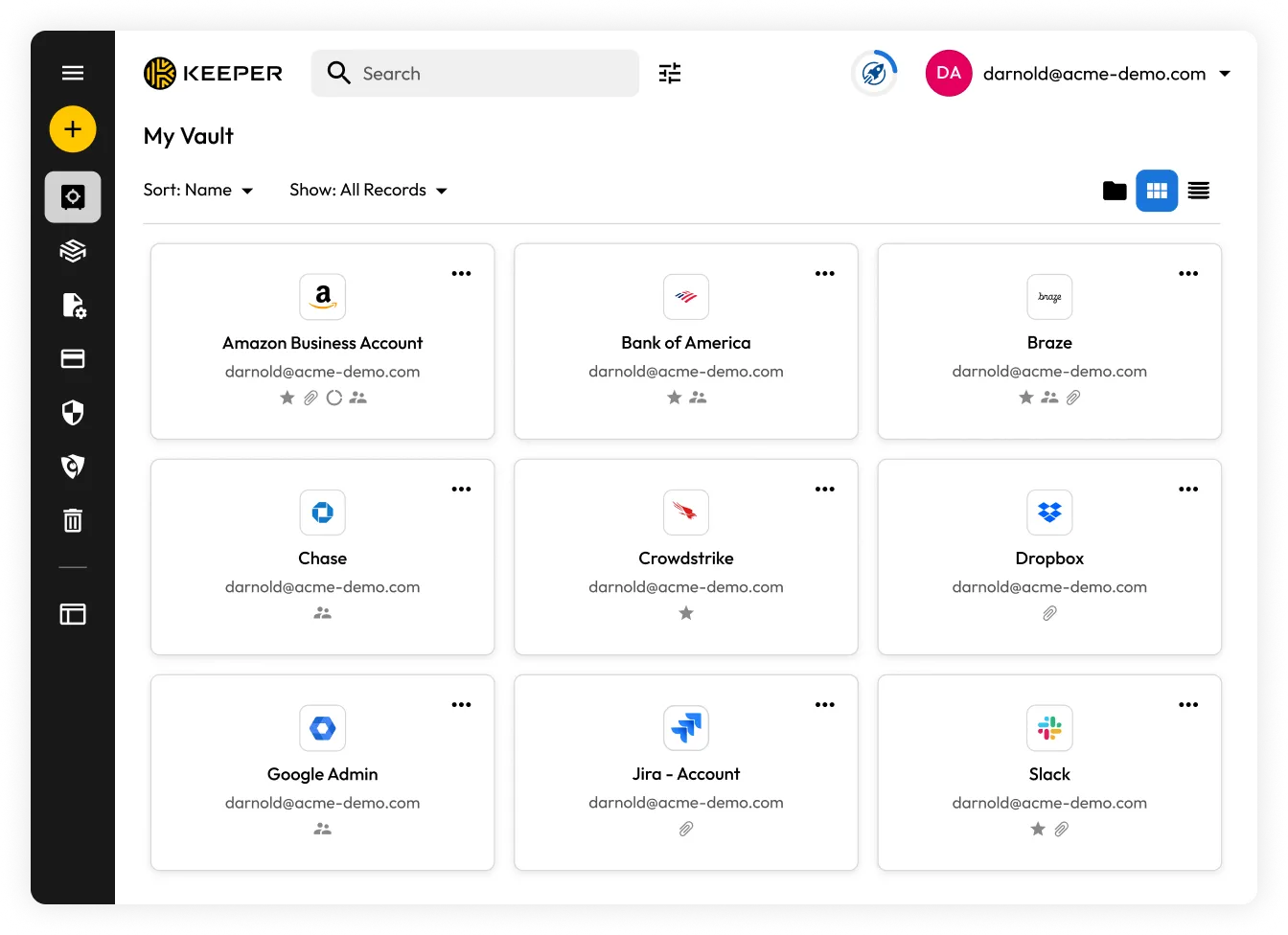
Keeper Security is a cybersecurity tool that falls within the category of password managers and secure data storage platforms. It is designed to help users store and manage credentials and other confidential information using encryption-based security methods.
Such tools are typically used by individuals, small teams, and enterprises that need centralized control over login credentials and sensitive digital assets.
Key Features Explained
1. Password Storage and Management
Keeper allows users to store login credentials in an encrypted vault. Entries can include usernames, passwords, and associated URLs.
2. Password Generation
The platform includes a built-in generator that creates random, complex passwords. This helps reduce reliance on predictable or reused passwords.
3. Encryption Model
Keeper uses encryption to secure stored data. In most configurations, data is encrypted locally before being transmitted or stored, which limits exposure.
4. Multi-Factor Authentication (MFA)
Users can enable additional verification steps beyond a password, such as one-time codes or biometric authentication.
5. Secure File Storage
In addition to passwords, users can upload and store files or documents in encrypted form within the vault.
6. Cross-Platform Access
The service is available across devices, including mobile apps and desktop browsers, allowing synchronization of stored data.
7. Role-Based Access (for teams)
For organizational use, administrators can define access permissions for different users and teams.
Learn More
Common Use Cases
Individual Users
- Storing personal account credentials
- Managing passwords across multiple devices
- Keeping notes such as recovery codes or PINs
Freelancers and Remote Workers
- Separating personal and client credentials
- Securely sharing login details with collaborators
Small to Medium Businesses
- Managing employee access to shared systems
- Reducing risks associated with password reuse
Enterprises
- Enforcing password policies
- Monitoring access and permissions across departments
Potential Advantages
- Centralized storage for credentials and sensitive data
- Reduced reliance on memory for complex passwords
- Encryption-based security model
- Availability across multiple platforms
- Administrative controls for organizational use
Limitations & Considerations
- Learning Curve: New users may require time to understand vault organization and security settings
- Dependency on Master Password: Losing the master password can limit access if recovery options are not configured
- Subscription Model: Many advanced features are typically tied to paid plans
- Performance Variability: Syncing and access speed may vary depending on device or network conditions
- Trust in Cloud Storage: Although encrypted, some users may prefer fully offline solutions
Who Should Consider This Tool
- Users managing multiple online accounts
- Teams needing shared but controlled access to credentials
- Organizations implementing structured password policies
- Individuals concerned about password security and reuse
Who May Want to Avoid It
- Users who prefer offline or non-cloud-based password storage
- Individuals uncomfortable with centralized credential systems
- Those seeking a minimal or no-setup solution
Comparison With Similar Tools (Brief)
- LastPass: Offers similar password management features, though it has experienced security incidents that may influence user trust considerations
- 1Password: Known for its user interface and organizational features, often used by teams
- Bitwarden: An open-source alternative with self-hosting options for users who want more control
Each tool differs in terms of architecture, transparency, and feature sets. Selection typically depends on user requirements and security preferences.
Final Educational Summary
Keeper Security is part of a broader category of tools designed to improve how users manage and secure digital credentials. It combines password storage, encryption, and access control features within a centralized system.
While it provides structured methods for handling sensitive information, it also introduces considerations such as dependency on a master password and reliance on cloud infrastructure.
Readers should evaluate tools based on their own requirements, including security expectations, usability preferences, and technical comfort levels. Independent research and comparison with alternatives are recommended.
