Introduction
Modern websites are rarely static. They evolve continuously through design updates, feature additions, and performance improvements. In this environment, communication between developers, designers, project managers, and clients often becomes fragmented. Feedback may be scattered across emails, spreadsheets, messaging platforms, or screenshots, making it difficult to track issues accurately.
This challenge has led to the rise of visual feedback and bug tracking tools—software designed to simplify how teams report, organize, and resolve issues directly on web pages. These tools aim to reduce ambiguity, improve collaboration, and centralize communication within development workflows.
BugHerd is one such tool that focuses on visual feedback collection and task management. It belongs to a category of software that bridges the gap between technical teams and non-technical stakeholders by allowing feedback to be tied directly to elements on a website.
What Is BugHerd?
BugHerd is a website feedback and bug tracking tool designed to capture, organize, and manage issues directly on web pages. It allows users to point, click, and comment on specific elements of a site, turning feedback into actionable tasks.
Unlike traditional issue tracking systems that rely heavily on written descriptions, BugHerd overlays a feedback layer on top of a live website. This enables users to report problems visually, reducing misunderstandings and improving clarity.
From a classification standpoint, BugHerd sits at the intersection of:
-
Visual bug tracking software
-
Website feedback tools
-
Project collaboration platforms
-
QA (quality assurance) support systems
It is commonly used during website development, testing, and post-launch maintenance phases.
Key Features Explained
Visual Feedback Layer
One of the defining aspects of BugHerd is its ability to collect feedback directly on a webpage. Users can click on any part of a site and leave comments tied to that exact location.
This eliminates the need for vague descriptions such as “the button on the homepage isn’t working,” replacing them with precise, location-based feedback.
Automatic Technical Metadata Capture
Each piece of feedback includes automatically collected technical details such as:
-
Browser type
-
Operating system
-
Screen resolution
-
URL of the page
This information is critical for developers attempting to reproduce and fix issues, especially in cross-browser testing scenarios.
Task Board Integration
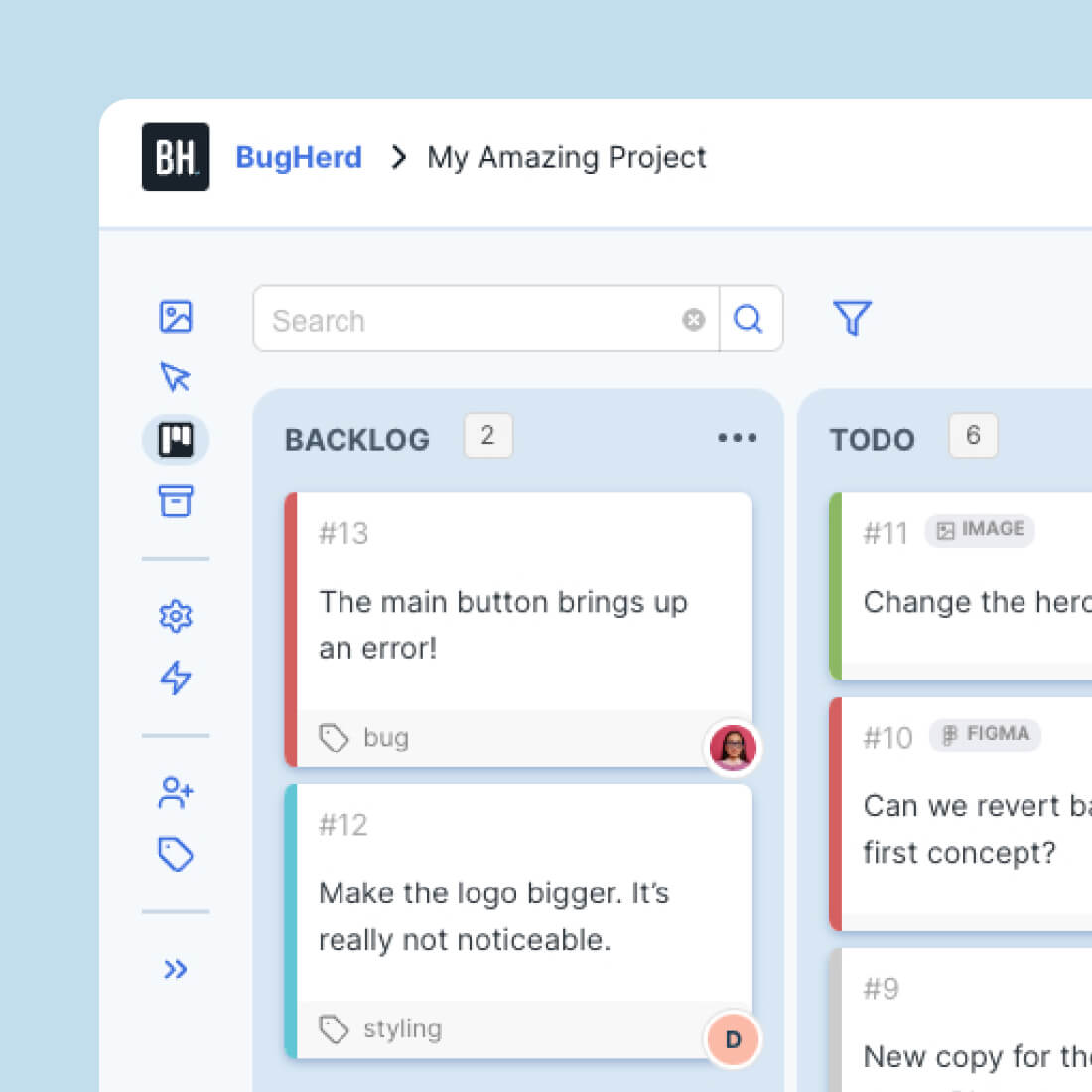
BugHerd converts feedback into tasks that appear on a Kanban-style board. Tasks can be categorized, prioritized, and assigned to team members.
The visual workflow typically includes stages such as:
-
To Do
-
In Progress
-
Done
This structure aligns with common agile development practices.
Screenshot Annotation
Users can attach screenshots and annotate them directly within the platform. This feature adds another layer of clarity, particularly when describing UI inconsistencies or design issues.
Team Collaboration
BugHerd supports collaboration among multiple stakeholders, including designers, developers, clients, and QA testers. Comments can be threaded, allowing for discussions around specific issues.
Client-Friendly Interface
Non-technical users can provide feedback without needing to understand development terminology. The interface is designed to minimize the learning curve for clients or external contributors.
Integrations With Other Tools
BugHerd integrates with project management and development tools, allowing teams to synchronize tasks across platforms. This helps maintain continuity in workflows without duplicating effort.
Common Use Cases
Website Development Projects
During the development phase, BugHerd is used to collect feedback from designers, clients, and internal teams. Instead of compiling feedback in documents, stakeholders can comment directly on the site.
Quality Assurance Testing
QA teams use BugHerd to identify bugs, usability issues, and inconsistencies. The visual reporting mechanism helps ensure that no detail is overlooked.
Client Feedback Collection
Agencies often use BugHerd to gather feedback from clients in a structured way. Clients can review a staging site and leave comments without needing to write detailed technical explanations.
Website Redesigns
In redesign projects, BugHerd helps teams compare old and new elements, ensuring that design changes are implemented correctly.
Ongoing Website Maintenance
Post-launch, BugHerd can be used to track issues reported by internal teams or stakeholders, making it easier to manage updates and fixes over time.
Remote Team Collaboration
Distributed teams benefit from having a centralized feedback system that reduces reliance on synchronous communication.
Potential Advantages
Improved Clarity in Feedback
By linking comments directly to elements on a webpage, BugHerd reduces ambiguity. This clarity can lead to faster issue resolution.
Reduced Communication Overhead
Instead of managing feedback across multiple channels, teams can consolidate discussions within a single platform.
Accessibility for Non-Technical Users
BugHerd lowers the barrier for participation, allowing clients and stakeholders without technical backgrounds to contribute effectively.
Streamlined Workflow
The integration of feedback collection and task management simplifies workflows, especially for teams already using agile methodologies.
Enhanced Debugging Efficiency
Automatic metadata capture provides developers with the context needed to diagnose issues more efficiently.
Visual Organization of Tasks
The Kanban-style board offers a clear overview of project status, helping teams prioritize and track progress.
Limitations & Considerations
Learning Curve for Teams
Although designed to be user-friendly, teams may still require time to integrate BugHerd into their existing workflows effectively.
Dependency on Browser-Based Interaction
BugHerd operates primarily through browser overlays, which may not capture issues in non-web environments or certain dynamic applications.
Limited Depth Compared to Full Issue Trackers
While BugHerd is effective for visual feedback, it may not replace comprehensive issue tracking systems for complex development projects.
Integration Constraints
Although integrations exist, not all tools may be supported. Teams relying on specific software ecosystems may encounter compatibility limitations.
Performance Considerations
Adding overlays to websites during testing may affect performance slightly, particularly on complex or resource-heavy pages.
Not Ideal for Backend Issues
BugHerd focuses on front-end feedback. Issues related to backend systems, APIs, or databases may require additional tools.
Who Should Consider BugHerd
Web Design Agencies
Agencies managing multiple client projects can benefit from a centralized feedback system that simplifies communication and task management.
Freelance Developers
Independent developers working with clients may find BugHerd useful for organizing feedback and maintaining clarity throughout a project.
QA Teams
Quality assurance professionals can use BugHerd to document and track issues in a structured and visual manner.
Product Teams
Teams responsible for maintaining web-based products can use BugHerd to manage ongoing improvements and bug fixes.
Remote and Distributed Teams
Teams working across different locations may benefit from having a shared platform for feedback and collaboration.
Who May Want to Avoid It
Backend-Focused Development Teams
Teams primarily dealing with server-side logic or infrastructure may find limited value in a front-end-focused tool.
Large Enterprises With Complex Systems
Organizations already using comprehensive project management and issue tracking systems may prefer tools with deeper customization and scalability.
Minimalist Workflows
Teams that rely on simple communication channels and do not require structured feedback systems may find BugHerd unnecessary.
Mobile-First Development Environments
Since BugHerd is optimized for websites, teams focusing heavily on mobile app development may need alternative solutions.
Comparison With Similar Tools
BugHerd vs Traditional Bug Tracking Software
Traditional bug tracking tools often rely on manual input and detailed descriptions. BugHerd simplifies this process by attaching feedback directly to visual elements.
However, traditional tools may offer more advanced features for complex workflows, including detailed reporting and automation.
BugHerd vs Visual Feedback Tools
Compared to other visual feedback platforms, BugHerd emphasizes simplicity and ease of use. Some alternatives may provide additional features such as heatmaps or session recordings.
BugHerd vs Project Management Platforms
While project management tools offer broader functionality, BugHerd focuses specifically on website feedback. It complements rather than replaces full-scale project management systems.
BugHerd vs Screenshot-Based Feedback Tools
Screenshot tools require users to capture and annotate images manually. BugHerd streamlines this by embedding feedback directly into the live website context.
Final Educational Summary
BugHerd represents a focused approach to managing website feedback by combining visual annotation with task tracking. Its core strength lies in simplifying communication between technical and non-technical stakeholders, reducing ambiguity in issue reporting.
As part of the broader category of visual bug tracking and website feedback tools, BugHerd addresses a common challenge in web development: translating user observations into actionable development tasks. By integrating feedback directly into the interface of a website, it creates a more intuitive and efficient workflow.
However, its usefulness depends on the specific needs of a team. While it excels in front-end feedback collection and collaboration, it may not replace more comprehensive tools required for complex or backend-heavy projects.
Understanding its capabilities and limitations allows teams to determine whether it aligns with their workflow requirements and project scope.