Introduction
Modern digital work environments frequently involve managing multiple responsibilities at the same time. Individuals and teams often balance professional duties, personal commitments, and long-term projects within overlapping schedules. Without structured systems, tracking tasks, deadlines, and priorities can become difficult.
This challenge has led to the growth of digital task management tools. These platforms attempt to organize work into manageable components such as lists, reminders, and collaborative task boards. Instead of relying on handwritten notes or scattered reminders across devices, task management software centralizes responsibilities in a single digital environment.
One widely recognized example within this category is Todoist, a platform designed to help users capture tasks, structure projects, and maintain an overview of ongoing work. Tools like this exist to address the broader need for organization, visibility, and coordination across personal and professional activities.
What Is Todoist?
Todoist is a digital task management application designed for organizing tasks, planning projects, and monitoring deadlines across devices. It belongs to the broader category of productivity and task management software, often used for personal organization as well as collaborative workflows.
Originally developed by the company Doist, Todoist functions as a cross-platform application available through web browsers, desktop applications, and mobile devices. The platform is structured around the concept of tasks grouped into projects, allowing users to track responsibilities in both simple lists and more structured project hierarchies.
The core goal of Todoist is to provide a structured space where users can record tasks, assign due dates, categorize responsibilities, and monitor progress over time. Rather than serving as a complex project management system with extensive enterprise features, the platform generally focuses on clarity and simplicity in task tracking.
Within the productivity software ecosystem, Todoist typically occupies a middle position between basic checklist apps and more complex project management platforms. Its design emphasizes usability while still supporting features such as task labels, priority levels, reminders, and integrations with other digital tools.
Key Features Explained
Task Creation and Organization
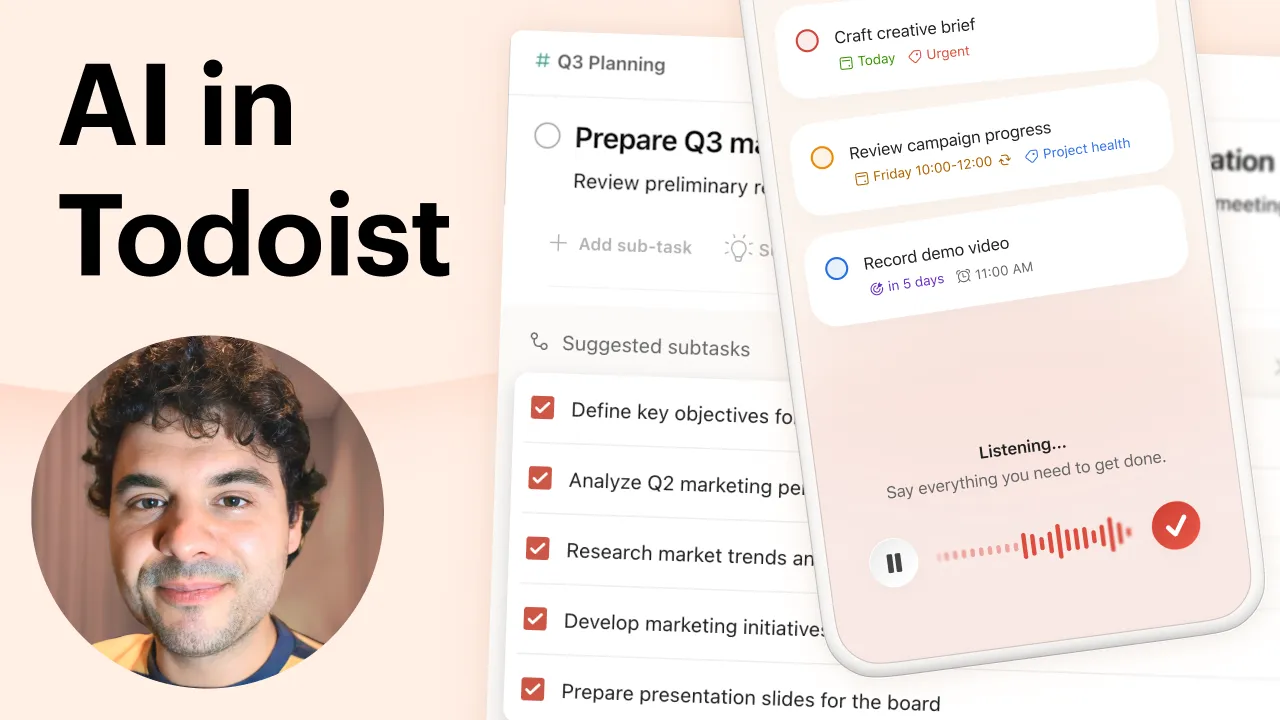
At the core of Todoist is its task entry system. Users can create individual tasks that include descriptions, deadlines, and optional notes. Tasks can also contain subtasks, allowing larger assignments to be divided into smaller components.
This hierarchical structure helps users manage complex projects while maintaining visibility over individual action items.
Project-Based Task Structure
Tasks in Todoist are grouped into projects, which function as folders for related work. Projects may represent work assignments, academic responsibilities, household management, or any other organized area of activity.
Projects can also be nested, allowing users to build layered structures for large initiatives.
Natural Language Input
One distinctive feature of Todoist is its use of natural language processing during task entry. Instead of manually selecting a due date through multiple menus, users can type phrases such as:
-
“Submit report tomorrow”
-
“Prepare meeting slides next Monday”
The system interprets the text and automatically assigns the appropriate date.
Priority Levels
Tasks can be assigned different priority levels. This classification allows users to visually distinguish urgent work from lower-priority items within their task lists.
Priority markers are commonly displayed using color indicators, which provide quick visual cues when scanning tasks.
Labels and Filters
Todoist supports labels, which function as tags attached to tasks. Labels allow tasks to be categorized across projects.
For example, a task labeled “email” or “research” can be filtered later to display all tasks with that tag, regardless of which project they belong to.
Filters expand this functionality by allowing users to create custom views based on conditions such as due date, label, or priority.
Recurring Tasks
Recurring responsibilities are common in both personal and professional environments. Todoist allows tasks to repeat automatically according to a specified schedule.
Examples include:
-
Weekly team meetings
-
Monthly financial reviews
-
Daily exercise routines
Once completed, the system automatically generates the next instance of the task.
Collaboration and Task Sharing
Although often used for personal productivity, Todoist also supports collaboration. Projects can be shared with other users, allowing tasks to be assigned to different participants.
Team members can comment on tasks, attach files, and monitor project activity.
Cross-Platform Synchronization
Todoist synchronizes across multiple platforms including smartphones, tablets, desktop applications, and web browsers. Tasks entered on one device are typically reflected across all connected devices.
This synchronization enables task management across different contexts such as workstations, commuting, or remote work environments.
Common Use Cases
Task management tools like Todoist are used in a variety of contexts.
Personal Productivity
Many individuals use Todoist as a personal planning tool. Tasks may include household responsibilities, appointments, shopping lists, or fitness goals.
The structured list format helps maintain awareness of pending obligations.
Academic Organization
Students frequently manage coursework, assignment deadlines, and exam preparation. A task management platform provides a way to track academic responsibilities over an entire semester.
Projects can be created for different courses, with tasks representing assignments or study sessions.
Professional Workflows
Professionals often rely on task management tools to monitor ongoing work assignments. Projects may represent clients, internal initiatives, or departmental responsibilities.
Subtasks help break complex assignments into smaller operational steps.
Team Coordination
Small teams sometimes use Todoist for lightweight collaboration. Shared projects allow participants to assign tasks, track progress, and discuss work within a central system.
Although not a full project management platform, the structure can support smaller collaborative workflows.
Habit and Routine Tracking
Recurring task features enable users to manage regular activities such as exercise routines, administrative tasks, or weekly planning sessions.
Potential Advantages
Structured Task Visibility
One of the primary benefits of digital task managers is improved visibility. Todoist organizes tasks into projects, allowing users to see responsibilities grouped by category.
This organization helps reduce the likelihood of overlooked tasks.
Reduced Cognitive Load
Externalizing tasks into a structured system can reduce the mental burden associated with remembering multiple commitments. Instead of relying on memory, users can consult their task lists.
Flexible Organizational Methods
Todoist allows different approaches to task organization. Some users prefer project-based structures, while others rely heavily on labels and filters.
This flexibility supports a range of productivity styles.
Cross-Device Accessibility
Synchronization across devices ensures that tasks remain accessible regardless of location. This can be useful for users who transition frequently between work environments.
Lightweight Interface
Compared with complex project management systems, Todoist generally maintains a relatively minimal interface. This design approach may reduce the learning curve for new users.
Limitations & Considerations
Limited Advanced Project Management Tools
Todoist focuses on task organization rather than complex project planning. Features such as resource allocation, advanced reporting, or timeline visualization are generally outside its core scope.
Organizations requiring comprehensive project management tools may find the feature set insufficient.
Dependence on Consistent Use
The effectiveness of any task management system depends on consistent updating. If users fail to record tasks or mark them as completed, the reliability of the system decreases.
Collaboration Constraints
While Todoist supports shared projects, it does not offer the same level of collaborative depth as specialized team management platforms.
Larger organizations may require tools with advanced permissions, workflow automation, or project tracking dashboards.
Notification Management
Frequent reminders and notifications can become overwhelming if not configured carefully. Users must adjust reminder settings to avoid excessive alerts.
Who Should Consider Todoist
Certain groups may find value in a task management platform like Todoist.
Individuals Managing Multiple Responsibilities
Professionals balancing meetings, deadlines, and personal commitments may benefit from structured task lists.
Students and Researchers
Academic workloads often involve overlapping deadlines. Organizing coursework into project lists can help track progress.
Freelancers and Independent Workers
Freelancers often manage several clients simultaneously. Task lists can help track deliverables across different projects.
Small Collaborative Groups
Small teams that require simple task tracking without complex project infrastructure may use lightweight collaboration features.
Who May Want to Avoid It
Not all workflows align with the design philosophy of Todoist.
Large Enterprise Teams
Organizations with complex approval processes, departmental permissions, and multi-phase project planning may require more comprehensive project management systems.
Visual Project Planners
Some users prefer visual project planning methods such as timeline charts or detailed kanban boards. Platforms built specifically for visual planning may better support those preferences.
Users Seeking Automation-Heavy Systems
Tools designed around automation, workflow triggers, and detailed analytics may provide functionality beyond what Todoist typically emphasizes.
Comparison With Similar Tools
The productivity software landscape includes numerous alternatives with varying approaches to task organization.
Microsoft To Do
Microsoft To Do emphasizes integration within the Microsoft ecosystem. It offers basic task tracking and synchronization with Microsoft accounts but generally focuses on personal task management rather than collaborative projects.
Trello
Trello uses a kanban board structure, where tasks appear as cards within columns representing workflow stages. This visual system differs from the list-based approach commonly associated with Todoist.
Asana
Asana is designed primarily for team collaboration and project management. It includes more advanced reporting, workflow tracking, and team coordination tools.
Notion
Notion combines note-taking, documentation, and task management within a flexible workspace. Its customizable structure allows users to build task systems alongside databases and knowledge bases.
Compared with these platforms, Todoist typically focuses on simplicity and task-oriented organization rather than extensive project infrastructure.
Final Educational Summary
Digital task management software has become increasingly common as individuals and teams attempt to organize complex workloads. These platforms aim to reduce organizational friction by providing centralized systems for recording tasks, setting deadlines, and monitoring progress.
Todoist represents one approach within this category. Its design emphasizes structured task lists, project grouping, and flexible tagging systems. Features such as recurring tasks, natural language input, and cross-platform synchronization aim to support consistent task tracking across devices.
However, the platform’s focus on simplicity also means that certain advanced project management capabilities are limited. For users whose workflows require extensive collaboration tools, analytics, or automation features, alternative platforms may provide broader functionality.
Understanding how tools like Todoist operate provides useful insight into the broader productivity software ecosystem and the various strategies people use to manage responsibilities in digital work environments.
Disclosure: This article is for educational and informational purposes only. Some links on this website may be affiliate links, but this does not influence our editorial content or evaluations.