
Introduction
Modern organizations increasingly rely on digital infrastructure to coordinate distributed teams, track productivity patterns, and manage workloads across multiple locations. As remote work, freelance collaboration, and global outsourcing have expanded, companies have faced new challenges related to visibility, accountability, and operational efficiency.
In traditional office environments, supervision often relied on physical presence. Managers could observe workflows, informal communication, and general activity within a workspace. However, remote and hybrid work models reduce that visibility. This shift has created demand for technological solutions that can document work activity, measure time spent on tasks, and generate structured reports about how working hours are allocated.
Software tools within the time tracking and workforce analytics category attempt to address these issues. They typically provide features for monitoring active work time, categorizing tasks, recording productivity metrics, and compiling data that organizations can analyze later. These systems are commonly used by remote teams, agencies, outsourcing companies, and organizations with project-based billing models.
One platform frequently discussed in this context is Time Doctor, a software application designed to help businesses monitor employee work activity and analyze productivity patterns. Understanding how such tools function requires examining both their technical capabilities and the practical situations in which they are used.
What Is Time Doctor?
Time Doctor is a workforce analytics and time tracking platform developed to monitor employee work activity during digital tasks. The software belongs to a broader class of tools sometimes referred to as employee monitoring software, productivity tracking systems, or workforce management platforms.
The core purpose of Time Doctor is to record how time is spent on work-related activities during a workday. It gathers data from employee devices while work sessions are active and organizes this information into structured reports that supervisors, team leaders, or administrators can review.
Time Doctor is typically used in environments where work occurs primarily on computers. Examples include:
-
Remote teams
-
Software development groups
-
digital marketing agencies
-
customer support operations
-
outsourced service providers
-
freelance project teams
The platform operates by tracking activity during active work sessions. Employees start a timer when beginning work, and the software logs time spent on various applications, websites, or assigned tasks. Depending on configuration settings, organizations may also enable additional monitoring features such as screenshots, idle time detection, and productivity categorization.
Rather than functioning as a task management tool alone, Time Doctor focuses primarily on measuring time allocation and work activity patterns. Its reports aim to help organizations understand how work hours are distributed across projects, clients, and digital tools.
Key Features Explained
Time tracking software often includes a range of monitoring and reporting functions. Time Doctor combines several mechanisms designed to capture information about work activity in a structured way.
Time Tracking and Work Session Logging
The most fundamental function of Time Doctor is tracking the duration of work sessions. Employees typically activate a timer when they begin working on a task or project.
The software records:
-
start and stop times
-
duration of each session
-
assigned project or task category
These records allow organizations to create timesheets and analyze how much time employees dedicate to particular assignments or clients.
This feature is especially relevant for organizations that operate under hourly billing models, where accurate time documentation is required for invoicing.
Activity Monitoring
During active work sessions, Time Doctor monitors which applications and websites are being used. This information is logged as part of the employee’s activity record.
Activity monitoring may include:
-
software applications opened during work
-
websites visited while the timer is running
-
duration spent on each tool
Organizations sometimes categorize applications as productive, neutral, or unproductive, depending on internal policies. These classifications contribute to productivity reports that summarize how work hours are spent.
Screenshot Capture
Another optional feature in Time Doctor is periodic screenshot capture. When enabled, the software automatically records screenshots at intervals during active work sessions.
These images provide visual documentation of on-screen activity and can help confirm that work-related tasks are being performed. In many configurations, screenshots can be partially blurred to protect sensitive information.
Organizations often adjust screenshot frequency according to their internal monitoring policies.
Idle Time Detection
Time Doctor includes mechanisms that detect periods when a computer remains inactive. If no keyboard or mouse input is recorded for a certain period, the system flags the time as idle.
Users may receive prompts asking whether the inactive period should be included in the work session or removed. This process attempts to ensure that reported work time reflects actual activity rather than passive computer usage.
Idle time detection is commonly used in remote work environments to improve accuracy in timesheets.
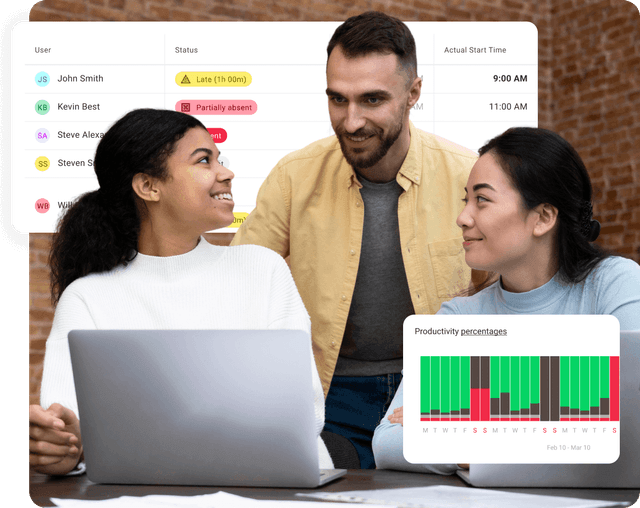
Productivity Reports and Analytics
One of the central components of Time Doctor is its reporting system. Data collected during work sessions is aggregated into dashboards and structured reports.
Examples of analytics provided by the platform include:
-
daily and weekly time reports
-
project-based time allocation
-
productivity percentage estimates
-
website and application usage summaries
-
attendance patterns
Managers and administrators can use these reports to analyze workflow patterns and identify potential inefficiencies in task distribution.
Payroll and Timesheet Integration
Time Doctor also includes functionality that supports payroll processing and billing workflows. Time records can be compiled into timesheets that organizations may use to calculate employee compensation or contractor payments.
For teams that bill clients based on hours worked, these records can also support invoice preparation.
The integration of time tracking with payroll data is a common feature among workforce management systems.
Common Use Cases
Time Doctor is used across a variety of professional contexts where monitoring time spent on digital work is important.
Remote Workforce Management
Companies with distributed teams often rely on time tracking software to maintain visibility into work activity. Managers may review reports to understand how remote employees allocate their working hours.
Outsourcing and Business Process Operations
Outsourcing firms frequently employ time tracking tools to monitor productivity across large groups of employees performing standardized tasks such as customer support, data entry, or technical services.
Freelance and Contract Work
Freelancers and contractors sometimes use time tracking systems to document billable hours for clients. Time records provide a structured method for verifying work duration.
Project-Based Teams
Organizations managing multiple concurrent projects may use Time Doctor to allocate hours to specific tasks or departments. This data can inform project budgeting and scheduling.
Digital Agencies
Marketing agencies, design studios, and software development companies often track time spent on client assignments. Time tracking helps maintain accurate billing records and assess resource allocation.
Potential Advantages
The adoption of time tracking software such as Time Doctor may provide several operational benefits, depending on how it is implemented within an organization.
Improved Visibility Into Work Patterns
Time tracking data can reveal patterns in how employees allocate their time across tasks and digital tools. Managers may use this information to identify inefficiencies or workload imbalances.
Documentation of Billable Hours
For businesses that charge clients based on time worked, accurate time records are essential. Software-based tracking systems provide structured documentation that can support billing transparency.
Data for Workforce Planning
Aggregated productivity reports can help organizations analyze trends in team performance and workload distribution. This information may assist in scheduling, staffing decisions, or resource planning.
Standardized Timesheet Processes
Automated tracking reduces reliance on manual timesheet entry. This can improve consistency in recordkeeping and reduce administrative errors.
Insight Into Software Usage
Activity reports showing application and website usage can help organizations understand which digital tools employees rely on during their workday.
Limitations & Considerations
While time tracking software offers analytical insights, it also raises several considerations related to workplace culture, privacy, and data interpretation.
Privacy Concerns
Employee monitoring features such as screenshots and activity tracking can raise concerns about privacy. Organizations typically need clear policies explaining how monitoring data is collected and used.
Interpretation of Productivity Metrics
Quantifying productivity through digital activity data can be complex. Time spent on an application does not necessarily reflect the quality or impact of the work being performed.
Potential Impact on Workplace Trust
Monitoring systems may influence how employees perceive management oversight. Some organizations balance this by emphasizing transparency and allowing employees access to their own productivity data.
Technical Limitations
Time tracking software may not accurately capture certain types of work, particularly tasks that occur offline or involve planning, brainstorming, or communication outside the monitored system.
Configuration Complexity
Organizations must carefully configure monitoring settings, reporting categories, and productivity definitions. Poor configuration can lead to misleading reports.
Who Should Consider Time Doctor
Time Doctor may be relevant for organizations that rely heavily on computer-based work and require structured documentation of employee activity.
Examples include:
-
distributed remote teams
-
outsourcing service providers
-
agencies managing client billing by the hour
-
companies with large freelance networks
-
customer support operations
-
data processing teams
In these environments, the ability to track work duration and generate detailed activity reports may support operational management and billing workflows.
Who May Want to Avoid It
Certain organizations may find limited value in time tracking platforms depending on the nature of their work culture or operational structure.
Situations where Time Doctor may be less suitable include:
-
companies emphasizing outcome-based evaluation rather than time tracking
-
highly creative teams where productivity cannot be measured by screen activity
-
small organizations with informal work processes
-
workplaces prioritizing minimal employee monitoring
In these contexts, alternative management approaches such as project-based evaluation or milestone tracking may be more appropriate.
Comparison With Similar Tools
Time Doctor operates within a competitive landscape of time tracking and employee monitoring software. While each platform offers overlapping functionality, they often differ in emphasis and feature design.
Time Doctor vs Traditional Time Tracking Apps
Some time tracking tools focus primarily on simple timers and manual timesheets. Time Doctor goes beyond this by incorporating activity monitoring and productivity analytics.
Time Doctor vs Workforce Analytics Platforms
More advanced workforce analytics systems may include broader human resource features such as employee engagement surveys, performance evaluations, or organizational dashboards. Time Doctor remains primarily focused on time usage and activity tracking.
Time Doctor vs Project Management Software
Project management platforms concentrate on task planning, collaboration, and workflow coordination. Time Doctor does not replace project management systems but can operate alongside them by recording the time spent completing assigned tasks.
Understanding these distinctions helps organizations choose tools that match their operational priorities.
Final Educational Summary
Time Doctor represents a specific category of digital workplace tools designed to record how employees spend their working hours on computer-based tasks. By combining time tracking, activity monitoring, screenshot capture, and analytical reporting, the platform collects data that organizations can use to examine productivity patterns.
Its functionality is particularly relevant in remote work environments, outsourcing operations, and project-based industries where accurate time documentation plays a role in billing and workforce management.
At the same time, the adoption of employee monitoring software introduces considerations related to privacy, workplace culture, and the interpretation of productivity metrics. Organizations often need to balance transparency, employee trust, and operational oversight when implementing such systems.
Understanding both the technical features and the broader implications of time tracking platforms provides a more complete perspective on how tools like Time Doctor fit into the evolving landscape of digital work management.
Disclosure: This article is for educational and informational purposes only. Some links on this website may be affiliate links, but this does not influence our editorial content or evaluations.
